New in QwikTeach: end-of-course reports your students can keep
By Lucas Weaver, Founder of QwikTeach
Your students now have a course report in their QwikTeach account. It's one page, in simple English, built from their recorded lessons, and it updates as new lessons come in. When a course ends, it's their end-of-course report.
It's available now for students whose lessons you record in QwikTeach.
Why the last lesson undersells the course
The last lesson of a course feels like any other lesson. The student hears today's mistakes, not the months behind them.
I built this for one of my own students. Carolina (not her real name) was finishing an eight-month course, and I wanted her to see how far she'd come instead of taking my word for it.
Everything was already in QwikTeach: the lesson recordings, the progress reports, the mistakes and vocabulary from each lesson, and our notes from before we started recording.
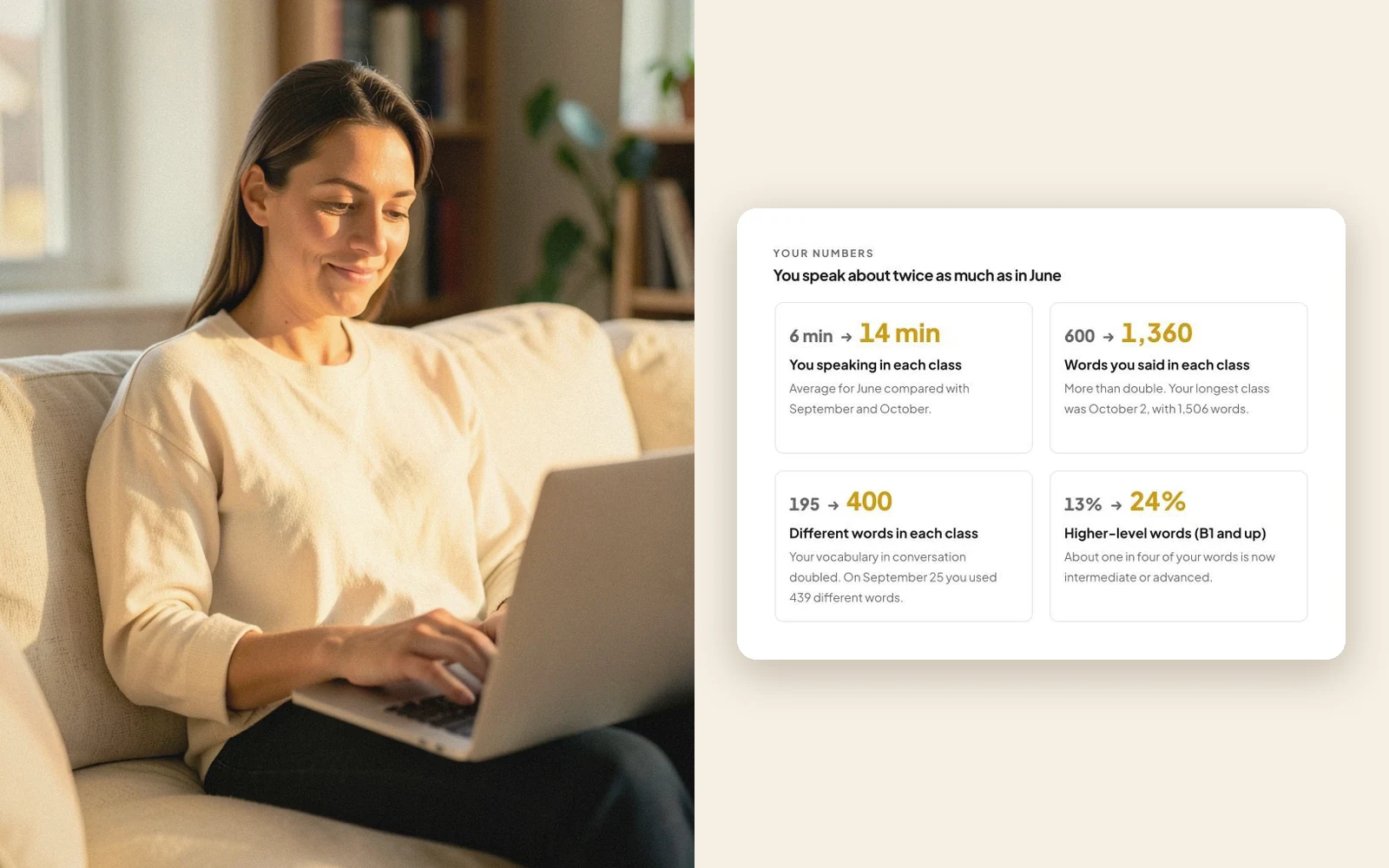
In June, Carolina spoke for about 6 minutes per lesson. By September and October it was about 14, and she used about twice as many different words.
What goes in a report
Each section is built from the student's own lessons:
- How much more they speak. Speaking time per lesson and the number of different words they use, early in the course compared with now. Only the student's own speaking is counted.
- Their sentences, then and now. Things they actually said in early lessons, next to things they said recently.
- The course, lesson by lesson. A short map of what you covered. Material from before QwikTeach, such as an old shared Google Doc, can be included.
- Words they used themselves. Words from conversation, not from a list.
- Mistakes they stopped making. Grammar patterns that came up early and stopped appearing in later lessons.
- Their sounds. Pronunciation scores out of 100 for the sounds you worked on.
- Three things to keep practicing. Based on what still comes up in their latest lessons.
- A note from you. In your own words, signed by you.
How your student gets it
Your student sees their course report on their dashboard.
The link qwikteach.com/student/course-report always opens their latest version, so you can send it in a message or an email at the end of a course. They need to be logged in to open it.
Add your own analysis
The report updates from the lesson data on its own. You can add your own analysis or rewrite your note at any time, and your student sees the new version.
It's most useful after a few months of recorded lessons. With only two or three recordings, there isn't enough early material to compare against.
Open QwikTeach, or see how it works if you're new to QwikTeach.

About the Author
Lucas Weaver
Lucas is the founder of QwikTeach and a longtime language teacher who built the product from firsthand experience of the work surrounding every lesson. His focus is helping teachers feel more prepared, more consistent, and less buried by admin.